By Elizabeth Goodman
Publication Date: 2026-10-08 20:57:00
Preparing CAD assets for robotics simulation requires more than converting geometry to OpenUSD: developers must configure and validate materials, collision geometry, joints, and other physics properties before testing robot behavior.
NVIDIA Omniverse libraries, guided by SimReady Foundation specifications and agentic NVIDIA skills, provide a structured workflow for converting and validating simulation ready (SimReady) assets. Frontier AI models can assist developers at each stage by interpreting reference materials and calling Omniverse tools on their behalf, reducing manual preparation.
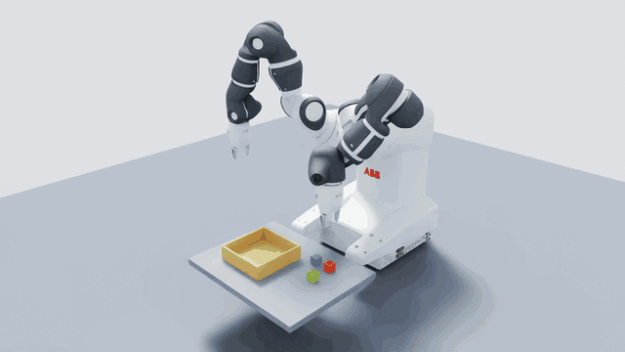
This post walks through how to prepare an ABB Robotics YuMi robot for simulation using the SimReady Foundation and NVIDIA Omniverse tools, with GPT-6 Astra as one example of a frontier AI model that can assist with the process. The workflow covers five steps: STEP-file conversion, appearance validation, physics configuration, SimReady validation, and a final pick-and-place task with both arms and grippers in NVIDIA Isaac Sim.
What Is SimReady and Why Does It Matter for Simulation?
SimReady defines requirements for preparing OpenUSD assets for specific simulation use cases. Developers select a SimReady profile for their intended use and validate the asset against its requirements. Profile-specific checks validate the asset’s structure, materials, and physics properties, then flag issues for developers to fix and recheck.
A robot model can look correct but still fail in…


